Reports & COAs
Reports are the customer-facing output of Clearline LIMS. Most labs use a Certificate of Analysis (COA) template configured during onboarding.
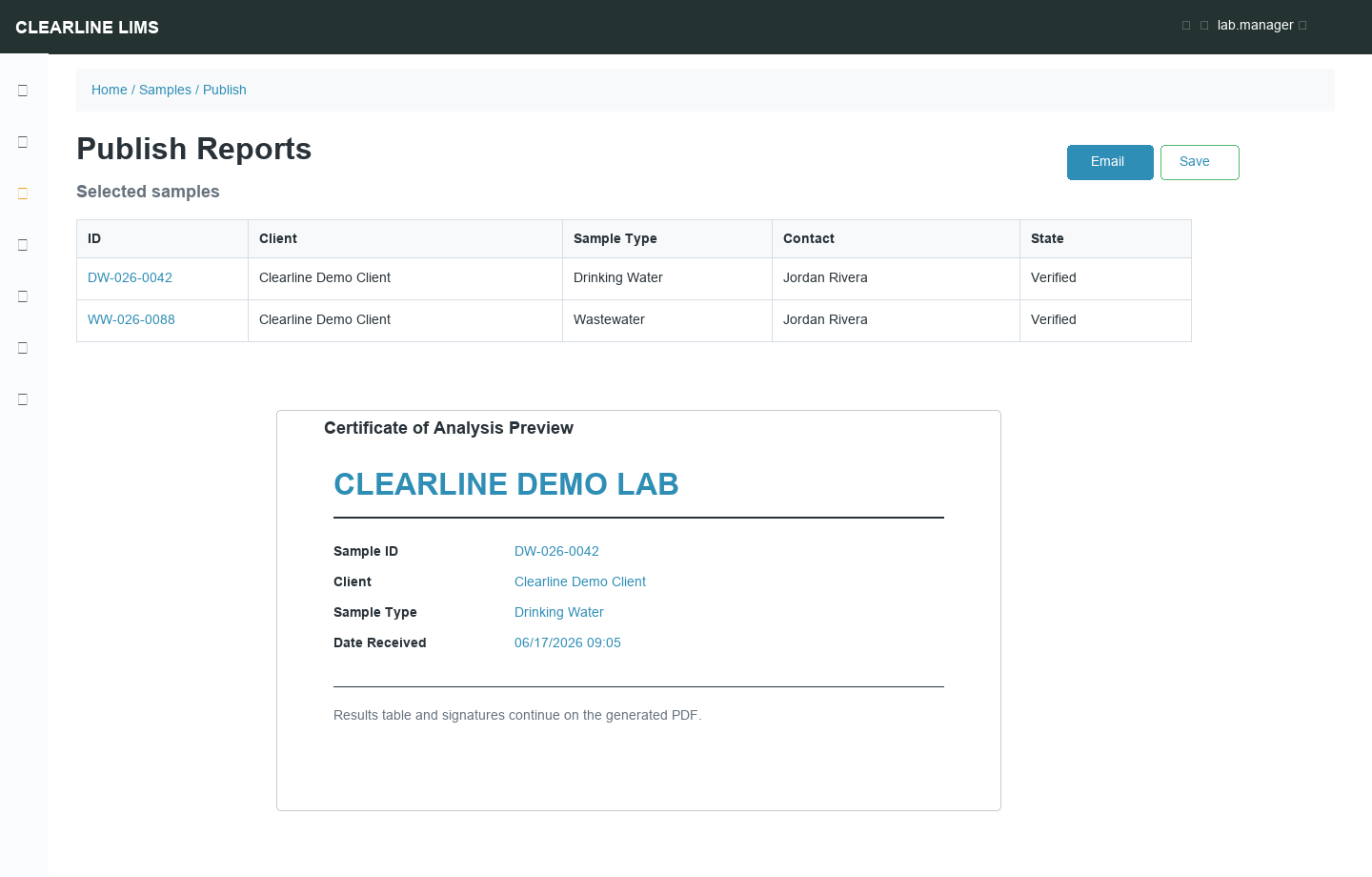
Before Publishing
Check:
| Item | Why |
|---|---|
| Correct client/contact | Prevents wrong recipient delivery |
| Sample metadata | Sample type, point, collection/receipt dates |
| Results and units | Ensures values display as intended |
| Flags and specifications | Makes out-of-range handling visible |
| Comments and interpretations | Confirms narrative is appropriate |
| Report template | Ensures correct accreditation or client layout |
Publish a Report
- Filter to Verified samples.
- Select one or more samples.
- Choose Publish.
- Preview the generated report.
- Email or save/download depending on your lab process.
Provisional Reports
Some configurations allow provisional reports before all analyses are complete. Use this only under lab policy and make sure the report clearly indicates provisional status.
Republish
Republish when a recipient needs another copy of an already published report. Do not republish to hide an error; use amendment/invalidation if data changed.
Report Templates
Clearline configures report templates with your logo, footer, accreditation language, result layout, units, signatures, and optional QR/barcode blocks. Send support a marked-up PDF or example when requesting template changes.
Report History
Published reports and emails are retained for traceability. Use report history instead of regenerating from memory when answering client questions.