AST Workflows
Antimicrobial Susceptibility Testing (AST) is optional. Your lab will only see these workflows if the AST add-on and supporting setup data are enabled.
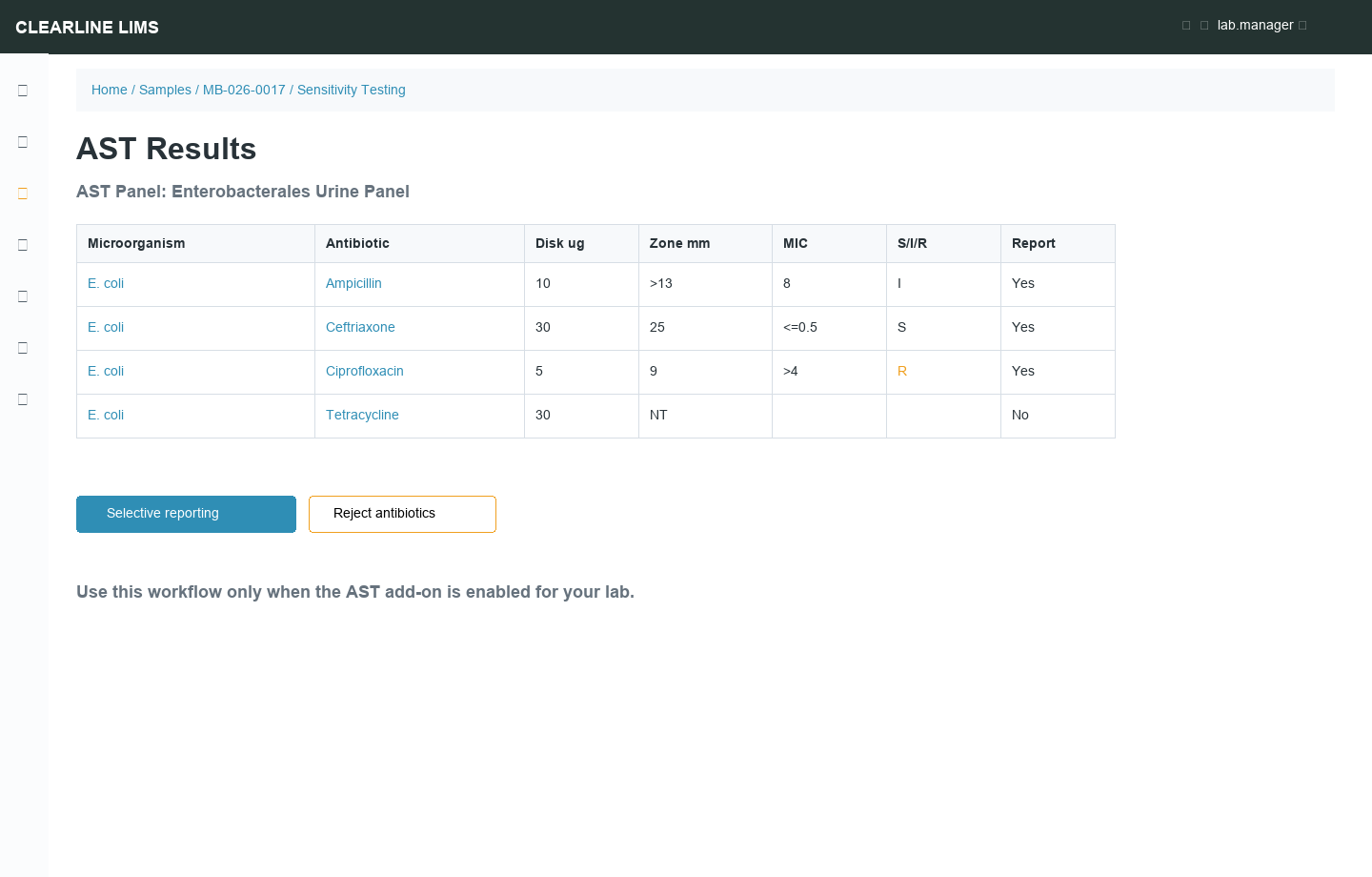
Setup Concepts
| Concept | Meaning |
|---|---|
| AST Panel | A predefined organism/antibiotic matrix |
| Breakpoints Table | Rules used to infer Susceptible, Intermediate, or Resistant categories |
| Microorganism Identification | Analysis used to select organisms found in the sample |
| Selective Reporting | Controls which organism/antibiotic results appear on the final report |
Basic AST Flow
- Assign Microorganism identification to the sample.
- Select identified microorganisms.
- Add an AST panel to the sample.
- Enter zone diameter or MIC values.
- Review calculated S/I/R categories.
- Use selective reporting if only some results should publish.
- Submit, verify, and publish through the normal workflow.
Supported Result Formats
AST result entry supports plain numbers, comparison operators such as <, >, <=, >=, and MIC fractions such as 1/2 or 1/4 where configured. Exact numeric and fraction values can be used for breakpoint calculation; operator values may require manual category selection.
Not Tested Antibiotics
If an antibiotic remains in a panel but was not tested, use the configured reject/not-tested workflow. The result should display as not tested instead of implying a missing value.
Caveat
Do not document AST as available to a customer unless their Clearline tenant has the AST add-on, microorganism setup, antibiotic setup, panels, and report template behavior configured.