What Is a LIMS? A Practical Guide for Small Labs
A plain-language guide to what a LIMS manages, when a small lab should consider one, and how to evaluate fit without starting with a feature wish list.

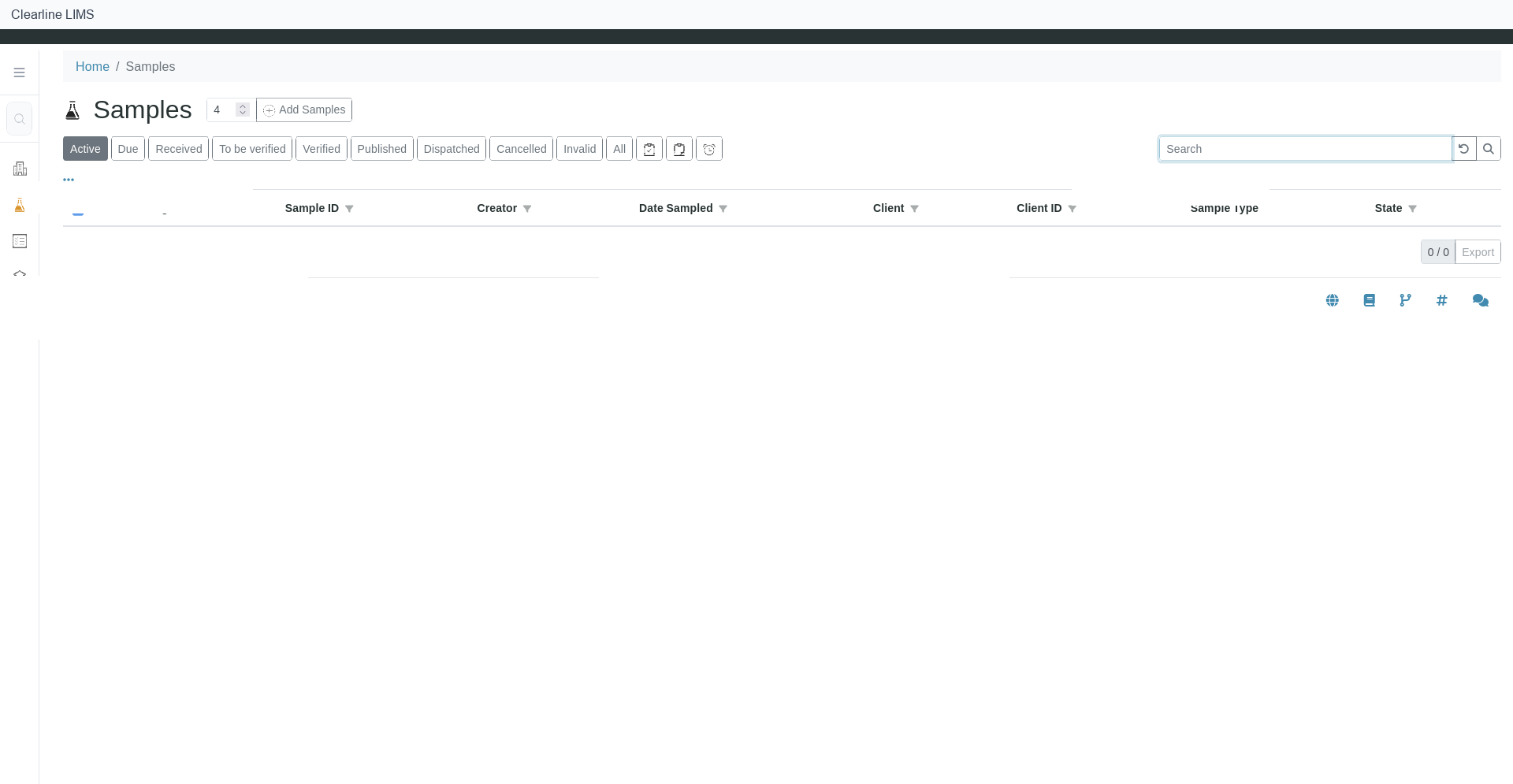
A laboratory information management system, or LIMS, organizes the records and decisions that move laboratory work from a submitted request to a released result. For a small lab, the value is not a bigger software footprint. It is a clearer way to know what arrived, what work was requested, who owns the next step, what changed, and which result is ready to report.
The FDA uses a broad definition: a LIMS includes the management of data and information held in computerized and non-computerized systems. That wording is useful because laboratory information rarely starts in one neat database. Requests may arrive on forms, observations may be written at the bench, instruments may produce files, and reports may leave as PDFs. A LIMS gives the lab a structured place to connect those parts.
What a LIMS manages
The exact workflow varies by laboratory, but the core job is consistent: keep the sample, requested work, laboratory activity, review, and output connected.
A typical sample-to-report path includes:
- Registration. Create or locate the client, project, request, sample, and requested analyses.
- Reception. Match the delivered material to the request, record receipt, and capture the condition the lab is required to observe.
- Assignment. Route accepted work to the right queue, team, method context, or analyst.
- Result entry or import. Record results and the context needed to interpret them.
- Review. Apply the lab’s approved checks and route exceptions or corrections to the right person.
- Reporting. Produce the approved output and record its status.
Clearline describes its testing-lab LIMS as connecting sample intake, laboratory work, review, and reporting through a workflow configured with the lab. That is a useful evaluation frame: the product should be assessed against the lab’s real process, not against a generic feature list.
What a LIMS does not decide for the lab
Software can make a process visible, but the laboratory still owns the process. The lab must define which information is required, who may perform each action, what makes a sample acceptable, how exceptions are handled, which checks apply, and when a result may be released.
A LIMS is also not the analytical instrument itself, and it does not automatically replace accounting, customer relationship management, document control, or every spreadsheet. Some of those systems may remain separate. The important design question is where each authoritative record belongs and how staff move between systems without creating conflicting versions.
That distinction keeps a small-lab project manageable. The first scope does not have to absorb every administrative process. It should solve a focused, important workflow well enough that staff can use it consistently.
When a small lab should consider a LIMS
Headcount is a poor readiness test. A better test is whether the current process creates recurring uncertainty or avoidable rework.
Consider a LIMS evaluation when the lab regularly struggles to answer questions such as:
- Which physical item matches this request?
- Has the sample been received, accepted, held, or assigned?
- What work remains open, and who owns it?
- Which result is current after a correction?
- What information supports the report that was issued?
- Which steps live only in email, paper, or one employee’s memory?
- How much manual copying occurs between intake, worksheets, instruments, review, and reporting?
These are diagnostic questions, not an automatic purchase rule. A low-volume lab with complicated requests may have a stronger case than a higher-volume lab with a simple, stable process. Conversely, a lab may discover that clearer procedures or a smaller workflow tool solves the immediate problem.
Start with one workflow, not a wish list
Before contacting vendors, select one representative path from sample arrival to approved output. Use sanitized examples and include at least one exception or correction. Write down:
- the people or roles involved;
- the records they create or update;
- the decisions they make;
- the instruments, files, and outside systems they touch;
- the output the lab must produce;
- the handoffs that most often become unclear.
Then mark each requirement as required now, valuable later, or out of scope. This prevents a small team from treating every possible capability as a first-phase necessity.
During a demonstration, ask the vendor to use that workflow. Watch what the user must enter, what the system carries forward, how an exception is exposed, and what remains a manual step. Record which parts are standard, configured, custom, third-party, or unavailable. Ask for the same distinctions in writing.
Evaluate ownership as carefully as features
A LIMS creates ongoing work. Someone must own methods and reference data, user access, configuration changes, support requests, updates, backups, recovery, and decisions about new reports or interfaces.
For each proposal, identify what belongs to the lab, the vendor, a hosting provider, or another service partner. Ask who performs each task, what information they need, how changes are requested and tested, and what documentation the lab receives. Small teams benefit from explicit ownership because an unassigned operational task does not disappear after launch.
Cost comparisons should use the same boundary. Include the items relevant to the proposed scope: software, hosting, implementation, configuration, migration, interfaces, training, support, internal staff time, optional work, renewal terms, and exit assistance. This is buyer guidance, not a claim that every project includes every category.
Know what “fit” means before choosing
A suitable LIMS should support the lab’s required workflow within acceptable cost, responsibility, and change boundaries. Fit is not the same as having the most features.
A concise evaluation can ask:
- Can staff complete the representative workflow with clear states and ownership?
- Can the lab handle an exception without hiding it in notes or email?
- Are required outputs and data exchanges included in the written scope?
- Is the migration boundary explicit?
- Can the team operate the system after implementation?
- Can the lab retrieve understandable records and attachments if it later changes systems?
The answer may be “not yet,” and that can still be useful. It tells the lab which process, data, or ownership decisions must be resolved before software selection.
If your lab has a defined sample-to-report bottleneck and wants to see whether a managed LIMS is a practical fit, evaluate Clearline LIMS for testing labs. Bring the lab type, current system, one bottleneck, and desired output; use sanitized examples for the initial conversation.
Sources
- FDA — ORA Lab Manual Vol. III, Section 3: Recording of Results Analyst Worksheet
- Clearline LIMS — LIMS for Testing Labs
Move from spreadsheets to a controlled pilot
Start with one bounded workflow, not a whole-lab cutover. Keep an unchanged source snapshot of the spreadsheet and its supporting records. Agree which sample, customer, test, and result identifiers must survive, and document any mapping or cleanup rather than silently replacing the source.
- Name the lab owner and define the pilot records, acceptance checks, and fallback before import.
- Run a trial migration and reconcile record counts, identifiers, required fields, exceptions, and representative outputs against the source snapshot.
- Resolve discrepancies with the responsible lab owner. Record owner signoff before extending the pilot or retiring the old workflow.
Use the LIMS migration readiness guide and the existing migration readiness worksheet (CSV) to record evidence, ownership, and open decisions.